
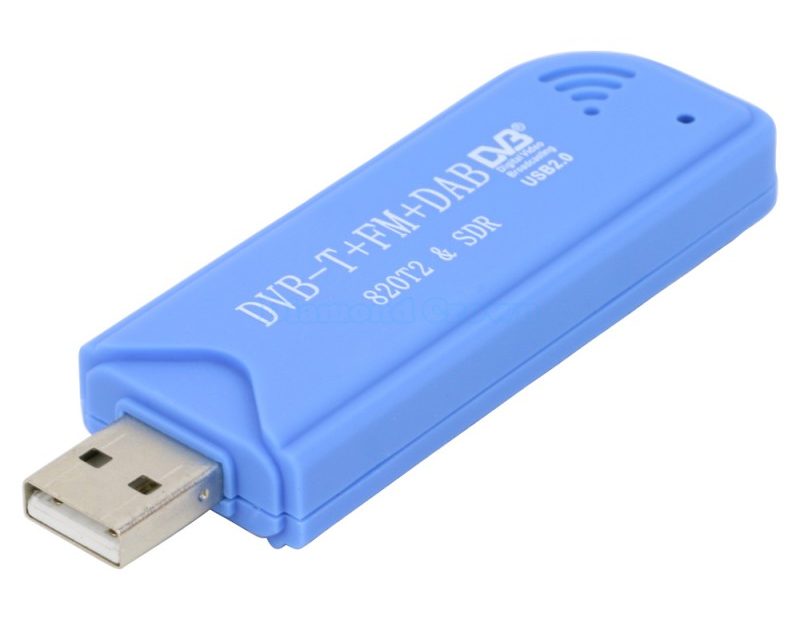
Stop de DVBT stick in de Pi
Login en voer uit:
$ wget -qO- https://fr24.com/install.sh | sudo bash -s
Evenlater begint het vraag en antwoord spelletje:
You don't seem to have any dump1090 installed. Dump1090-mutability will be automatically installed upon start if DVBT receiver is chosen.

______  _  _         _      _                    _              _____    ___
|  ___|| |(_)       | |    | |                  | |            / __  \  /   |
| |_   | | _   __ _ | |__  | |_  _ __  __ _   __| |  __ _  _ __`' / /' / /| |
|  _|  | || | / _` || '_ \ | __|| '__|/ _` | / _` | / _` || '__| / /  / /_| |
| |    | || || (_| || | | || |_ | |  | (_| || (_| || (_| || |  ./ /___\___  |
\_|    |_||_| \__, ||_| |_| \__||_|   \__,_| \__,_| \__,_||_|  \_____/    |_/
               __/ |
              |___/
[main][i]FR24 Feeder/Decoder
[main][i]Version: 1.0.48-0/generic
[main][i]Built on Apr 10 2024 08:15:14 (T202404100803/Linux/static_armel)
[main][i]Running on: raspbian="10"
[main][i]Local IP(s): 192.168.2.15,192.168.2.54,fe80::2b72:3b6f:b72d:6645,fe80::f9fc:c943:e9f7:3a78
[main][i]Copyright 2012-2024 Flightradar24 AB
[main][i]https://www.flightradar24.com
[main][i]DNS mode: PING

Welcome to the FR24 Decoder/Feeder sign up wizard!

Before you continue please make sure that:

 1 - Your ADS-B receiver is connected to this computer or is accessible over network
 2 - You know your antenna's latitude/longitude up to 4 decimal points and the altitude in feet
 3 - You have a working email address that will be used to contact you
 4 - fr24feed service is stopped. If not, please run: sudo systemctl stop fr24feed

To terminate - press Ctrl+C at any point


Step 1.1 - Enter your email address (username@domain.tld)
$:arjan.ten.hoopen@gmail.com

Step 1.2 - If you used to feed FR24 with ADS-B data before, enter your sharing key.
If you don't remember your sharing key, you can find it in your account on the website under "My data sharing".
https://www.flightradar24.com/account/data-sharing

Enter your sharing key or press ENTER/RETURN to continue.
$:<ENTER>

Step 1.3 - Would you like to participate in MLAT calculations? (yes/no)$:no

Step 3.A - Enter antenna's latitude (DD.DDDD)
$:52.403741

Step 3.B - Enter antenna's longitude (DDD.DDDD)
$:5.280343

Step 3.C - Enter antenna's altitude above the sea level (in feet)
$:0

Using latitude: 52.4037, longitude:5.2803, altitude: 0ft above sea level

Validating email/location information...OK

The closest airport found is ICAO:EHLE IATA:LEY near Lelystad.

Latitude: 52.460300
Longitude: 5.527220
Country: Netherlands

Flightradar24 may, if needed, use your email address to contact you regarding your data feed.

Would you like to continue using these settings?
Enter your choice (yes/no)$:yes

Step 4.1 - Receiver selection:

 1 - DVBT Stick (USB)
 -----------------------------------------------------
 2 - SBS1/SBS1er (USB/Network)
 3 - SBS3 (USB/Network)
 4 - ModeS Beast (USB/Network)
 5 - AVR Compatible (DVBT over network, etc)
 6 - microADSB (USB/Network)

Enter your receiver type (1-6)$:1
Checking for dump1090...NOT FOUND

Step 4.3 - Enter your additional dump1090 arguments or leave empty
$:

Step 5.1 - Would you like to enable RAW data feed on port 30002 (yes/*no*)$:no

Step 5.2 - Would you like to enable Basestation data feed on port 30003 (yes/no)$:yes

Submitting form data...OK

Congratulations! You are now registered and ready to share ADS-B data with Flightradar24.
+ Your sharing key (XXXXXXXXXXXXXXXX) has been configured and emailed to you for backup purposes.
+ Your radar id is X-XXXXXXX, please include it in all email communication with us.
+ Please make sure to start sharing data within one month from now as otherwise your ID/KEY will be deleted.

Thank you for supporting Flightradar24! We hope that you will enjoy our Premium services that will be available to you when you become an active feeder.

To start sending data now please start the fr24feed daemon again by running the following command: sudo systemctl start fr24feed!

Saving settings to /etc/fr24feed.ini...OK
Settings saved, attempting to enable and start the fr24feed service
Enabled fr24feed service...OK
Restarted fr24feed service...OK
All done, you can check the status by using the fr24feed-status command
pi@solar:~ $
Vervolgens starten van de service:
$ sudo systemctl start fr24feed
En is het gelukt
$ sudo systemctl status fr24feed
● fr24feed.service - Flightradar24 Decoder & Feeder
Loaded: loaded (/etc/systemd/system/fr24feed.service; enabled; vendor preset: enabled)
Active: active (running) since Fri 2025-01-24 14:37:49 CET; 22min ago
Process: 20955 ExecStartPre=/usr/lib/fr24/install_dump1090.sh (code=exited, status=0/SUCCESS)
Process: 21970 ExecStartPre=/usr/lib/fr24/unregister_kernel_modules.sh (code=exited, status=0/SUCCESS)
Process: 21976 ExecStartPre=/usr/lib/fr24/create_missing_directories.sh (code=exited, status=1/FAILURE)
Process: 21987 ExecStartPre=/usr/bin/fr24feed --validate-config --config-file=/etc/fr24feed.ini (code=exited, status=0/SUCCESS)
Main PID: 21988 (fr24feed)
Tasks: 18 (limit: 2059)
CGroup: /system.slice/fr24feed.service
└─21988 /usr/bin/fr24feed

Jan 24 14:59:59 solar fr24feed[21988]: [reader][i]Connecting to DVBT receiver via (exe:///usr/bin/dump1090-mutability --raw)
Jan 24 14:59:59 solar fr24feed[21988]: [reader][i]Connected to the receiver, configuring
Jan 24 14:59:59 solar fr24feed[21988]: [reader][i]Configured, processing messages
Jan 24 14:59:59 solar fr24feed[21988]: [reader][i]Connection terminated
Jan 24 14:59:59 solar fr24feed[21988]: [main][i]Terminating child process 24519 with SIGTERM
Jan 24 15:00:05 solar fr24feed[21988]: [reader][i]Connecting to DVBT receiver via (exe:///usr/bin/dump1090-mutability --raw)
Jan 24 15:00:05 solar fr24feed[21988]: [reader][i]Connected to the receiver, configuring
Jan 24 15:00:05 solar fr24feed[21988]: [reader][i]Configured, processing messages
Jan 24 15:00:05 solar fr24feed[21988]: [reader][i]Connection terminated
Jan 24 15:00:05 solar fr24feed[21988]: [main][i]Terminating child process 24610 with SIGTERM
LOL Success!!!
Dan maar directories maken met de hand en de permissies goed zetten. Zie het script … daarna nog een keer starten.
WebUI is te bereiken via http://[ip-van-je-pi]:8754/
Maar toen deed ie het nog niet, zie discussie op forum: https://forum.flightradar24.com/forum/radar-forums/flightradar24-feeding-data-to-flightradar24/227678-error-module-dvb_usb_rtl28xxu-is-not-currently-loaded-and-no-data-gets-uploaded Eind resultaat … geen compatible DVB-T USB stick.
*** Op zoek naar een stick met een RTL2832U + R820T or R820T2 or R860T chipset ***
abc